


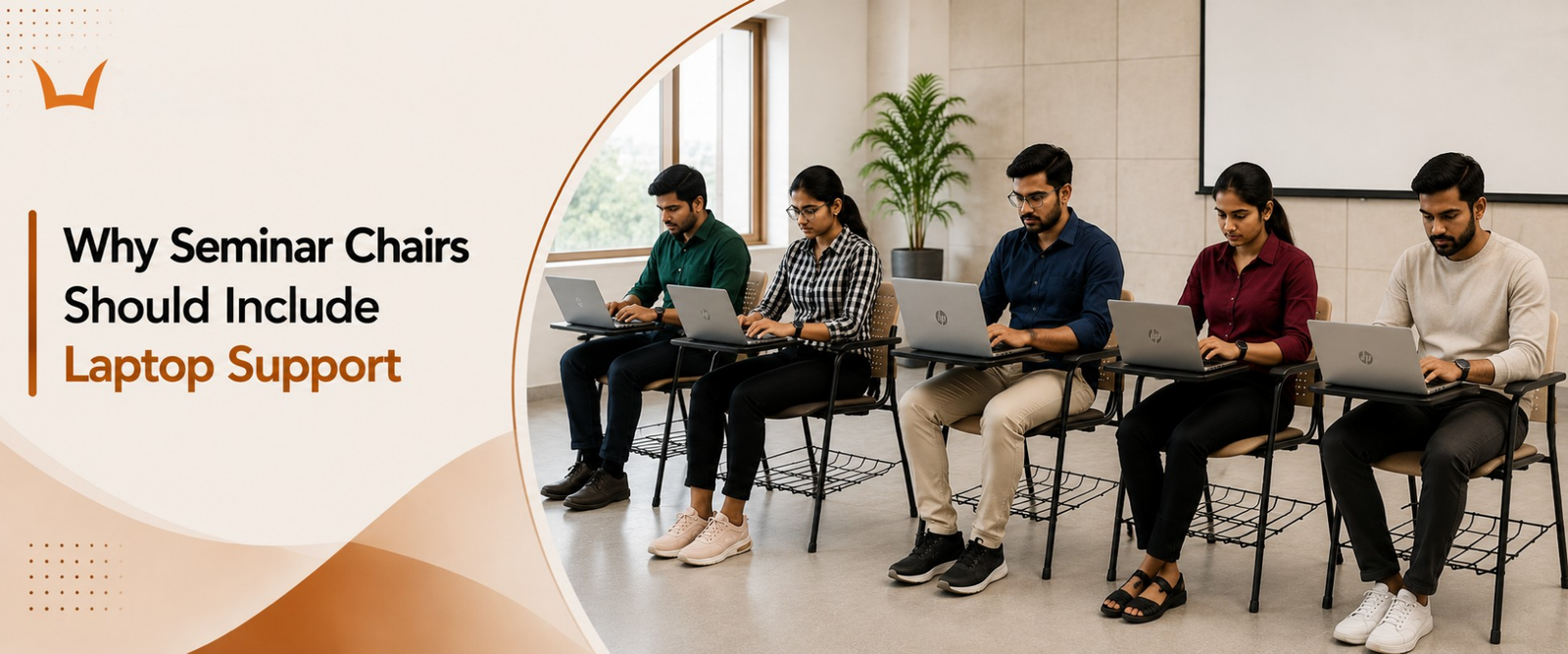
Why Seminar Chairs Should Include Laptop Support
- Why Old Style Seminar Chairs No Longer Work
- What Happens to the Body Without Proper Laptop Support
- Neck and Shoulder Strain
- Wrist and Forearm Pressure
- Slouched Spine and Back Pain
- What Real Laptop Support Looks Like in a Seminar Chair
- Wider Tablet Arm Surface
- Right Height for Eye Level
- Stable Surface for Real Devices
- Why Laptop Ready Chairs Make Better Business Sense
- What to Check Before Buying Seminar Chairs With Laptop Support
TLDR
- Laptops are the new notebook
- Plain chairs cause real strain
- Writing pads alone are not enough
- Smart chairs save back and time
- Seminar comfort drives better focus
Introduction
The way people learn has changed. The way they sit has not. Seminar rooms still rely on chairs designed for an era of pens and paper. Yet today, every attendee carries a laptop. Some carry tablets. Many depend on shared digital files just to follow along.
This gap between modern devices and old style chairs is bigger than most buyers realise. And it shows up in tired attendees, poor posture, and seminars that feel longer than they should.
A small writing pad cannot solve this problem. Real laptop support is the only way forward.
Why Old Style Seminar Chairs No Longer Work
A small flap on the side of a chair was perfect when notebooks ruled the seminar hall. Slim, light, easy to flip open. The chair design matched the tool of that time.
But laptops are bigger. Heavier. Wider. They need stable surface area, not a thin armrest pretending to be a desk. Place a laptop on a tiny pad and it overhangs. The keyboard tilts. The screen wobbles. The user spends more time adjusting than learning.
This is the real reason seminar attendees today complain of fatigue and discomfort. The chair was never built for the tool they brought. Most auditorium chair manufacturers have now responded to this shift by building wider, more stable tablet arms into their seminar designs.
What Happens to the Body Without Proper Laptop Support
Neck and Shoulder Strain
When the laptop sits low, the screen sits lower. The head tilts down to read. The neck takes the weight of an unnatural posture. Shoulders tense up to balance the spine.
What feels like a small adjustment becomes hours of discomfort. The body keeps score even when the user does not notice.
Wrist and Forearm Pressure
Typing on a low or sloped pad bends the wrists in the wrong direction. The forearms hang in mid air without support. Every keystroke adds a little more strain.
This is how everyday seminar attendance turns into long term wrist trouble.
Slouched Spine and Back Pain
To get closer to a low device, users slowly lean forward. The lower back curves the wrong way. The chair loses its job of supporting good posture.
A slouched spine during one session is harmless. Repeated across many sessions, it becomes the start of chronic back pain.
What Real Laptop Support Looks Like in a Seminar Chair
Wider Tablet Arm Surface
A laptop ready chair offers a wide, stable tablet arm. Not a flap. Not a token rest. A real surface that holds a full size laptop without spillover.
This space lets the user keep notes, water, or a phone on the side without juggling.
Right Height for Eye Level
The tablet arm sits at a height that brings the laptop screen closer to the line of sight. The shoulders stay relaxed. The wrists stay flat. The body works with the chair, not against it.
This small detail is what separates a designed chair from a generic one.
Stable Surface for Real Devices
A surface that wobbles is worse than no surface at all. A real laptop ready arm locks firmly into place. It does not bounce while typing. It does not sag under device weight.
Stability is not optional in modern seminar seating. It is the whole point.
Why Laptop Ready Chairs Make Better Business Sense
The benefits go far beyond comfort. They show up in real outcomes that managers care about.
Setup time drops. Each chair is a self contained workstation. No tables. No extra wires. No layout headaches.
Engagement rises. Attendees stay focused on the content because their bodies are not fighting the chair.
Note taking gets sharper. With the laptop properly placed, typing speed and accuracy improve.
Health complaints fall. Long training schedules stop leaving people sore. HR sees fewer issues. Training providers see better feedback scores. This becomes even more important in extended learning sessions where chairs for full day seminars must support posture, comfort, and device usage for several continuous hours.
Even brand image gets a quiet upgrade. A well planned seminar room signals that an organisation respects its people. That message lands without saying a word.
What to Check Before Buying Seminar Chairs With Laptop Support
Start with the tablet arm size. If it is too small to hold a standard laptop, walk away.
Test the locking mechanism. The arm should swing out smoothly and lock firmly. No play. No wobble.
Press down on the arm with full force. A real surface stays solid. A weak one bends or shakes.
Check the chair height. The seat should match standard laptop work posture without forcing the user to crane forward.
Look at the back support. Lumbar shape, proper height, and ergonomic seating matter for long sessions.
Inspect the frame. Strong steel and tight welds last for years. Cheap frames may have rust issues and flex within months.
Seminar hall chairs designed for schools and colleges help create organised and comfortable seating arrangements for presentations, meetings, and academic events.
And finally, look at the warranty. A long warranty tells you the manufacturer trusts their own product.
Conclusion
The seminar chair is not just furniture. It is a tool that decides whether attendees stay sharp or fade out. Whether trainers feel supported or fight their own setup. Whether organisations build a strong learning culture or one held back by sore backs and stiff necks.
Adding real laptop support is not a small upgrade. It is the difference between a room that feels modern and one stuck in the past.
Designed for professional and academic environments, Syona seminar hall chairs support comfortable seating for presentations, seminars, and events.
Modern Seminar Chairs Designed for Laptop Based Learning
Today’s seminars, training sessions, and academic events depend heavily on laptops and digital devices. Chairs with proper laptop support help attendees stay comfortable, focused, and productive during long sessions while reducing posture related strain and setup challenges. Humans upgraded from notebooks to full mobile workstations but somehow expected a tiny writing pad to keep up. Furniture has been suffering through this denial for years.
Explore durable and ergonomic seminar hall seating solutions at Syona Roots designed for professional presentations, academic environments, training rooms, and modern seminar spaces.