


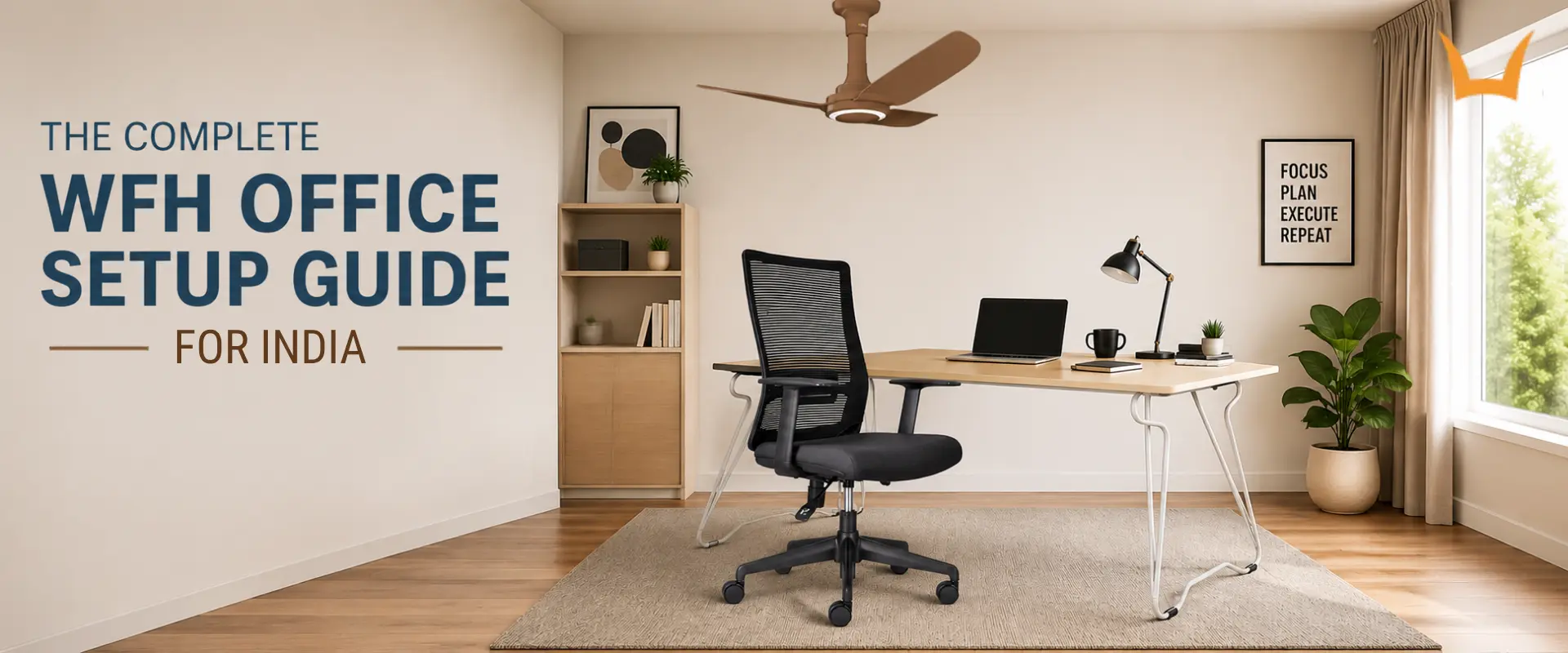
The Complete WFH Office Setup Guide for India
- What a Work From Home Office Setup Actually Needs
- Start With the Chair: The Base of an Ergonomic Home Office Setup
- Getting Your Work-From-Home Desk Setup Right
- Where the Screen, Keyboard and Mouse Should Sit
- BLDC Fans for Home Office Comfort and Quiet Work
- Choosing Furniture That Lasts
- Common Mistakes
- Ready to Build a Setup That Lasts
Most home offices in India are not planned. They grow out of a corner of the bedroom, a spare side table and whatever chair was free that morning. That holds up for a week. Over months of full working days the body sends the bill: a stiff neck, a sore lower back, an afternoon slump no amount of coffee fixes.
A good work from home office setup is not about expensive gear. It is about getting a few things right in the right order, starting with a proper office chair rather than whatever was lying around, and building out from there. This guide is arranged with the Indian home in mind: limited space, real heat, and furniture that has to earn its floor area.
What a work from home office setup actually needs
Strip a home office back and four things carry real weight. The chair supports you throughout the day. The desk sets the height of your working surface. The screen affects how your neck and eyes are positioned. Air and light also influence how comfortable and focused the space feels. Everything else is secondary, and no accessory will rescue your posture if those four are wrong.
Start with the chair: the base of an ergonomic home office setup
A good work chair does three things. It supports the inward curve of your lower back so you are not slumping. It adjusts for height, so your feet rest flat. And it has armrests to rest your arms on, ideally ones that adjust to bring your elbows to roughly a right angle. A breathable back also matters more here than most buyers expect, because heat builds against your back over a long day in a warm room.
The Syona Mars Optima is a practical everyday option, with a mesh back, cushioned seat, height adjustment and 360-degree swivel. For longer working days, the Neptune Ease adds dedicated lumbar support, adjustable armrests and a high-grade mesh back.
Choose the Mars Optima for straightforward everyday comfort, or the Neptune Ease if lumbar support and greater adjustability are priorities. Either way, look for a supportive and adjustable chair that fits your body without feeling excessively soft or restrictive.
Getting your work-from-home desk setup right
A good work from home desk setup is less about looks than height, depth and layout. The right height puts your forearms roughly parallel to the floor when you type. If your shoulders lift or your wrists angle up, the height is wrong. The Syona Work From Home Table sits in the standard range, so your arms fall into place without a workaround.
Depth matters just as much. You need room for the screen at arm's length and space in front for your keyboard and wrists. The Work From Home Table gives you both, wipes clean, and folds away when the room needs to be a bedroom again. If you rearrange often, the Flex Table is a rolling desk on nylon casters.
Where the screen, keyboard and mouse should sit
Once your chair and desk are in place, position the screen so the top sits at or just below eye level, roughly an arm's length away. If you work on a laptop, raise the screen with a laptop stand or a stack of sturdy books and use a separate keyboard and mouse.
Keep the keyboard and mouse close enough that your elbows can stay near your body while you work. The aim is simple: position your screen and accessories so you can work comfortably without constantly leaning or reaching forward.
BLDC Fans for Home Office Comfort and Quiet Work
Comfort at your desk is not only about posture. Across much of India, heat and stale air can make long working sessions uncomfortable, particularly during warmer months. Good airflow can help the room feel fresher while you work.
The Syona HUSH Premium Plus is designed for efficient airflow and includes multiple speed settings, a remote, sleep mode and a timer, along with a built-in LED light. Its BLDC motor operates with less noise, making it especially useful for home offices where you need to attend work calls, video meetings or online discussions without distracting background noise. If you already have your lighting sorted, the HUSH Premium provides the same fan-focused option without the integrated light.
Place your desk to the side of a window where possible rather than directly facing it. This can help reduce glare on your screen while still allowing natural light into the workspace. After dark, use a desk or room light that illuminates the working surface without shining directly into your eyes or screen.
Choosing furniture that lasts
Two setups can look identical on day one and perform very differently after a year of daily use. That is why it is worth looking at how furniture is built, not just how it looks, especially when choosing chairs for a busy workplace.
For a chair, look at how office chair makers handle the frame, adjustment mechanisms, materials and relevant certifications rather than focusing only on the padding. The warranty is also worth checking when you are buying furniture for everyday use.
For a desk, consider the top and frame together. The Syona Work From Home Table combines a laminated MDF top with an MS tube frame, while its BIFMA X5.5 certification indicates that the table has undergone testing for relevant performance requirements.
Common mistakes
- Working from the sofa or the bed feels relaxed and quietly wrecks your back, because neither holds you upright.
- Buying a chair on looks alone, with no height or back adjustment, means fighting the seat every day.
- Treating decoration as the first purchase leaves you with a corner that photographs well and hurts to use.
The quietest mistake of all is expecting furniture to do everything: standing for two minutes every hour does more for your back than any purchase.
Ready to build a setup that lasts
Get the chair right, then the desk height, then your screen and hands, followed by airflow and lighting. Build your setup in that order and you can create a home workspace that is comfortable, practical and suited to the way you work.
Explore the Syona Roots range of ergonomic chairs, work from home tables and BLDC ceiling fans to bring the key pieces together in one setup.
Frequently asked questions
Do I need to buy everything at once for a home office setup?
You do not need to buy everything at once. Start with a comfortable office chair and a suitable desk, then position your screen and keyboard correctly. Once the essentials are in place, you can add lighting, airflow, cable management and other accessories based on your space and working habits.
How do I fit a desk into a bedroom without the room feeling like an office?
A folding table is the practical answer, since it comes down at the end of the day and gives the room back. Keeping work items in one box helps too, because visible clutter is what makes a bedroom feel like an office after you have logged off.
Build a Better Work-From-Home Setup
A comfortable home office does not require a room full of expensive equipment. The right chair, a suitable desk, proper screen positioning and good airflow can make a much bigger difference to your everyday working experience. Syona Roots offers ergonomic office chairs, work-from-home tables and BLDC ceiling fans designed to suit practical home working environments.
Whether you are setting up a dedicated workspace or turning part of your bedroom into a home office, choosing furniture that fits your space and working habits can help you create a setup that remains comfortable over long working days.